
Most sites pick a video style they like, then paste the embed wherever there is white space. Video placement SEO flips that order: choose the format for the audience, then assign it to the URL whose job matches the script. Wrong placement tanks engagement; right placement makes the same file lift rankings and conversion on one page without fighting the rest of the site.
Website Talking Heads maps style to page type in match your video style to website placement—homepage, landing pages, demo URLs, training hubs, and how to stack formats in one funnel. Use it for placement rules; use this post to tie those choices to keywords, internal links, and measurable SEO signals.
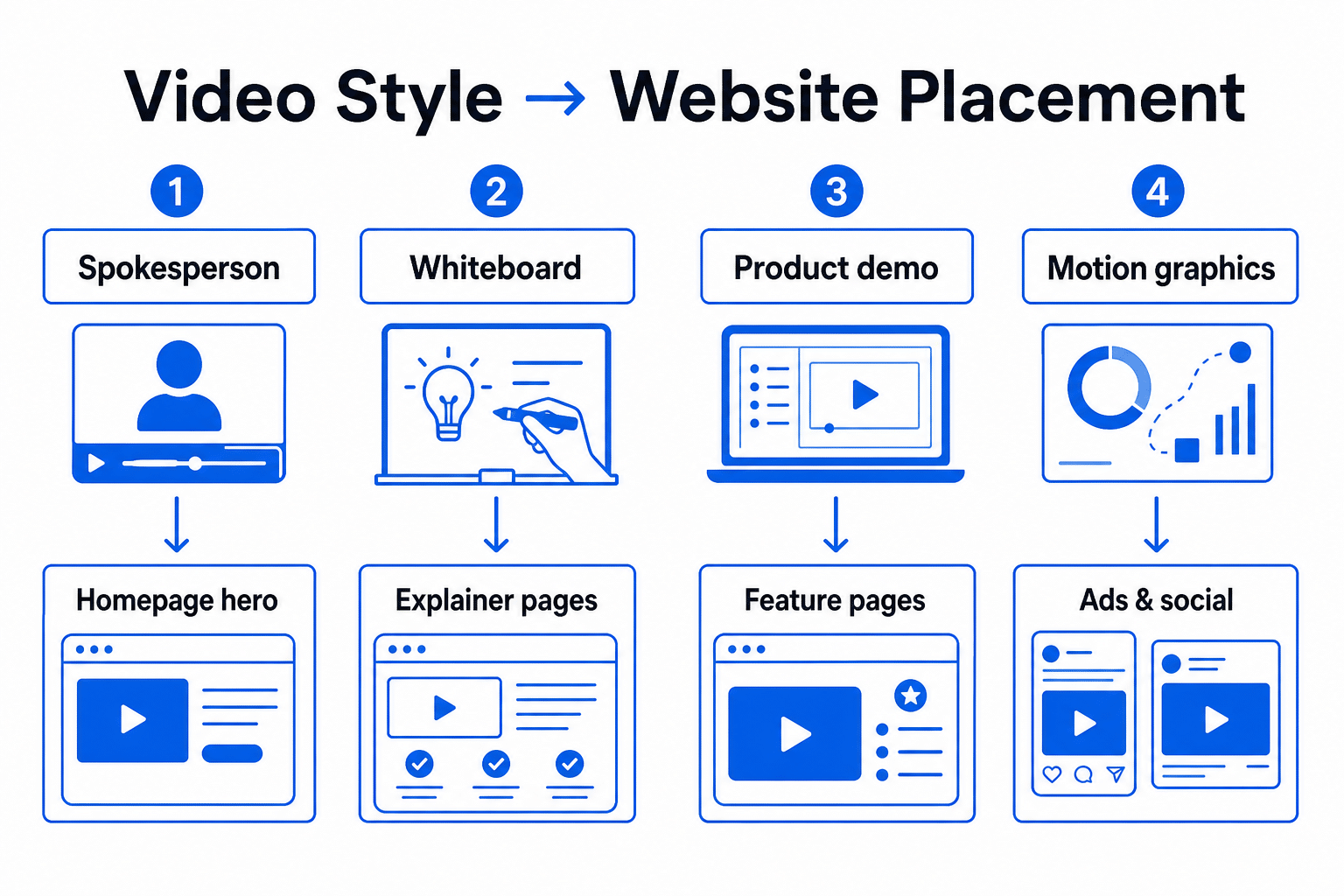
Style first, then placement
Format answers how you tell the story; placement answers where the buyer is in the journey. A whiteboard explainer on a checkout page feels like homework. A 90-second spokesperson welcome buried in the footer never earns watch time. The WTH article’s style matcher → placement map flow keeps creative and URL intent aligned—critical when each page should target one primary keyword cluster.
If you are still choosing between demo and explainer, decide format first via demo vs explainer video for SEO, then assign the winner to the correct page type below.
Website placement map (SEO view)
- Homepage — Spokesperson or custom presentation: brand trust, category language, broad head terms. One hero embed; support with text that repeats the spoken hook. Pair with choosing video spokesperson services when talent and player quality affect load and engagement.
- Service / category landers — Explainer (whiteboard or animation): definitional and comparison queries. Transcript under the player; link to deeper proof pages.
- Product and pricing URLs — Product demonstration or app walkthrough: proof keywords (“how to use,” “demo,” feature names). See product page SEO with a demo video.
- Sales landing pages — Mid-length presentation or VSL: one primary CTA, title and H1 matched to campaign intent—not the same cut as the homepage welcome.
- Training / help hub — eLearning or chaptered walkthroughs: long-tail support queries; silo under a resource path with clear internal links from product pages.
- Social and ads — Short kinetic or commercial cuts that point back to the canonical lander; do not treat ad hooks as your only on-site SEO embed.
The full placement guide expands each slot with examples; treat this list as your URL audit checklist.
Funnel stack on one site
Strong video SEO is rarely one file. A typical stack:
- Homepage spokesperson establishes trust.
- Service explainer educates on the problem you solve.
- Product demo or walkthrough proves the offer.
- Order or book-demo page keeps video minimal—copy and CTA lead.
Each step gets its own URL, title, and hosted video metadata. Cross-link with descriptive anchors (“product demonstration video,” “whiteboard explainer”) so crawlers see a topic cluster, not duplicate “watch our video” noise. Compare formats at a glance on video production styles.
When the spokesperson wins the homepage
Homepage queries are often branded or category-level; viewers decide in seconds whether you feel human and credible. A filmed spokesperson or presentation-style hero supports that job better than a product unboxing or a six-minute training module. Autoplay policy, poster frame, and mobile layout still matter for Core Web Vitals—placement SEO includes how the player loads, not only which page owns the iframe.
Placement mistakes that hurt SEO
- Same video on every URL — Duplicate embeds split engagement signals and confuse which page should rank for demonstration vs overview terms.
- Wrong format for intent — Animation explainer on a SKU page when buyers need hands-on proof; demo on the homepage when they still do not know the category.
- No indexable support — Player-only pages with no transcript, summary, or FAQ aligned to the script.
- Orphan watch files — Vimeo/YouTube uploads with no link from the matching money page.
- Competing primary keywords — Homepage and lander both optimized for the same phrase with different videos; pick one owner URL per cluster.
Measure placement, not just creative
Track completion rate, CTA clicks, and organic entrances per URL in Search Console and analytics. A winning script in the wrong slot looks like a creative failure; moving it to the matching page often fixes both conversion and dwell time without reshooting. The WTH article’s measurement section applies the same idea to business ROI—mirror it with query and landing-page reports for SEO.
Next steps
Audit your sitemap: list each URL with a video embed, label its job (trust, educate, prove, convert, train), and note the primary query. Reassign or reshoot only where job and format disagree. For the complete placement map, FAQs, and style matcher workflow, read match your video style to website placement on Website Talking Heads, then update titles and transcripts on the pages you keep.
